


Electronics and Engineering Icons
Icons related to electronics and computers are useful when writing your own programs, as well as on the computer desktop. Icons are provided in ICL (Icon Library) format.
| Sample Icons From The Collection |
|---|
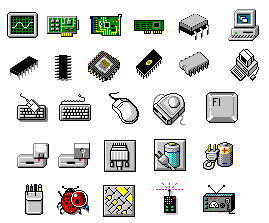
These are just a few of the over 225 icons contained in the collection, including computer icons, pcb icons, card icons, peripheral icons, debugging icons, and much more. 16x16, 32x32, and 48x48 sizes are included. |
Icon Installation Instructions
The icons are contained within an ICL (Icon Library) file. This allows the icons to be browsed, organized, and manipulated from a single file. To use an icon, simple export it from the library using your favorite icon program. I recommend IconShop, which allows you to browse icons and icon libraries from a familiar Explorer-style interface.
Download Icon Library (ee_icons.zip)
Icon Manipulation Programs:
- AX-Icons - $14.00
- Icon Collector - $19.95
- IconCool - $15.50
- IconEasel - $19.00
- IconForge - $37.95
- IconShop - Free!
- Microangelo - $59.95



